Write the lorebook
The lorebook is a set of entries whose content is sent to the AI when their keyword comes up in the conversation. Write things the AI doesn't always need to know but must know once a name comes up, like world terms, places, organizations, and characters' secrets.
This is the Expert mode guide. For Simple mode, see Lorebook, components, and optional items. Both modes find lore entries the same way.
How it differs from the prompt
| Prompt | Lorebook | |
|---|---|---|
| When it's sent | Always, every time the AI replies | Only when a keyword comes up in the conversation |
| What you write | The backbone of the world, main characters, progression rules | Places, organizations, objects, and past events that come up now and then |
| How much | Up to 10,000 characters | 400 characters per entry, up to 100 entries |
Keep settings that are needed every time, like the main character, in the prompt, and settings that are needed only when a name comes up in the lorebook, and your prompt stays short.
Make an entry
- Select Add entry.
- Fill in the Name, Keywords, and Content.
- Select Collapse and the list shows only the name and keywords. To open it again, select that entry's card.
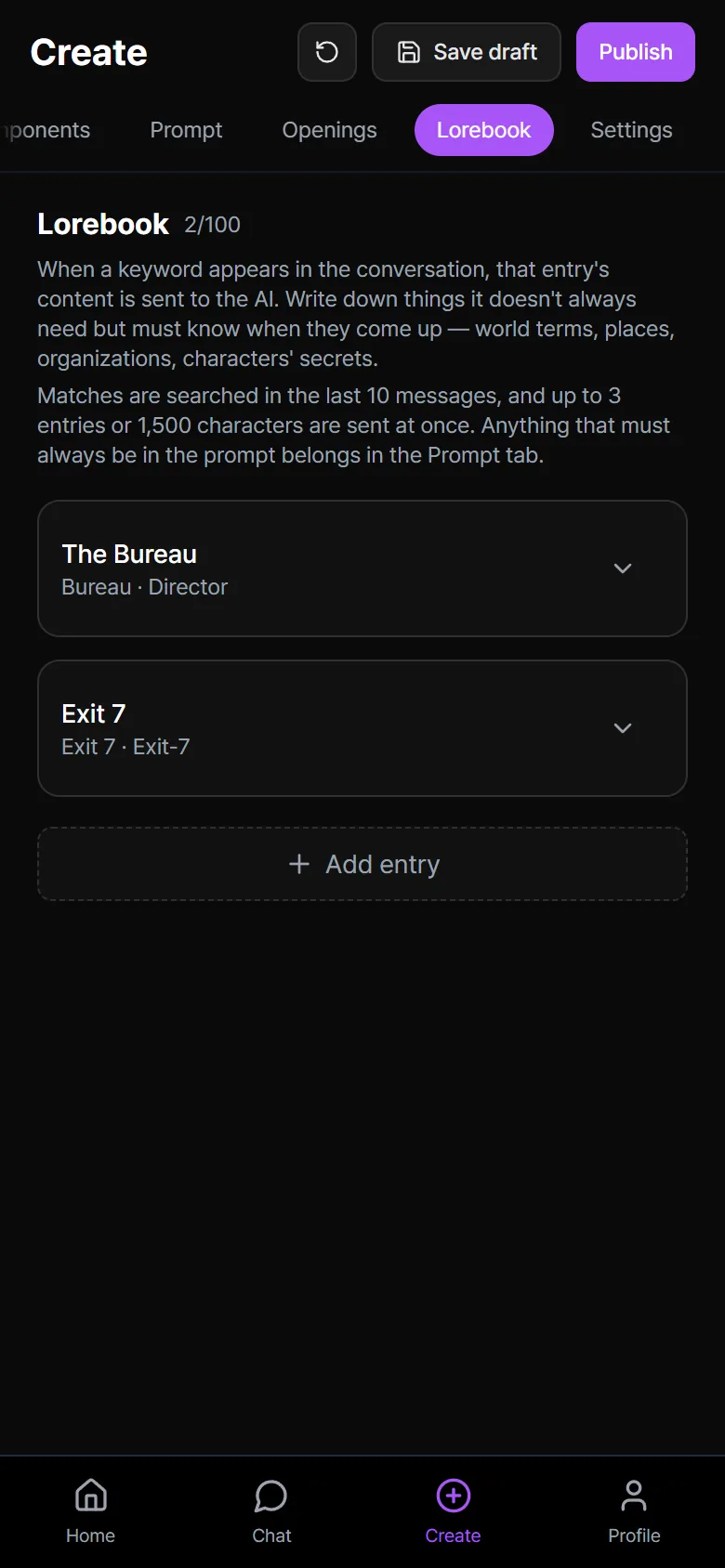
- Name: The entry's name. Up to 50 characters. It's sent to the AI along with the content.
- Keywords: The content is sent when one of these comes up in the conversation. Up to 5 keywords, 10 characters each. If you type more than 10 characters, only the first 10 go in. Type one and press Enter or a comma, or select Add. Case doesn't matter.
- Content: Write only what the AI needs to know when the keyword comes up. Up to 400 characters.
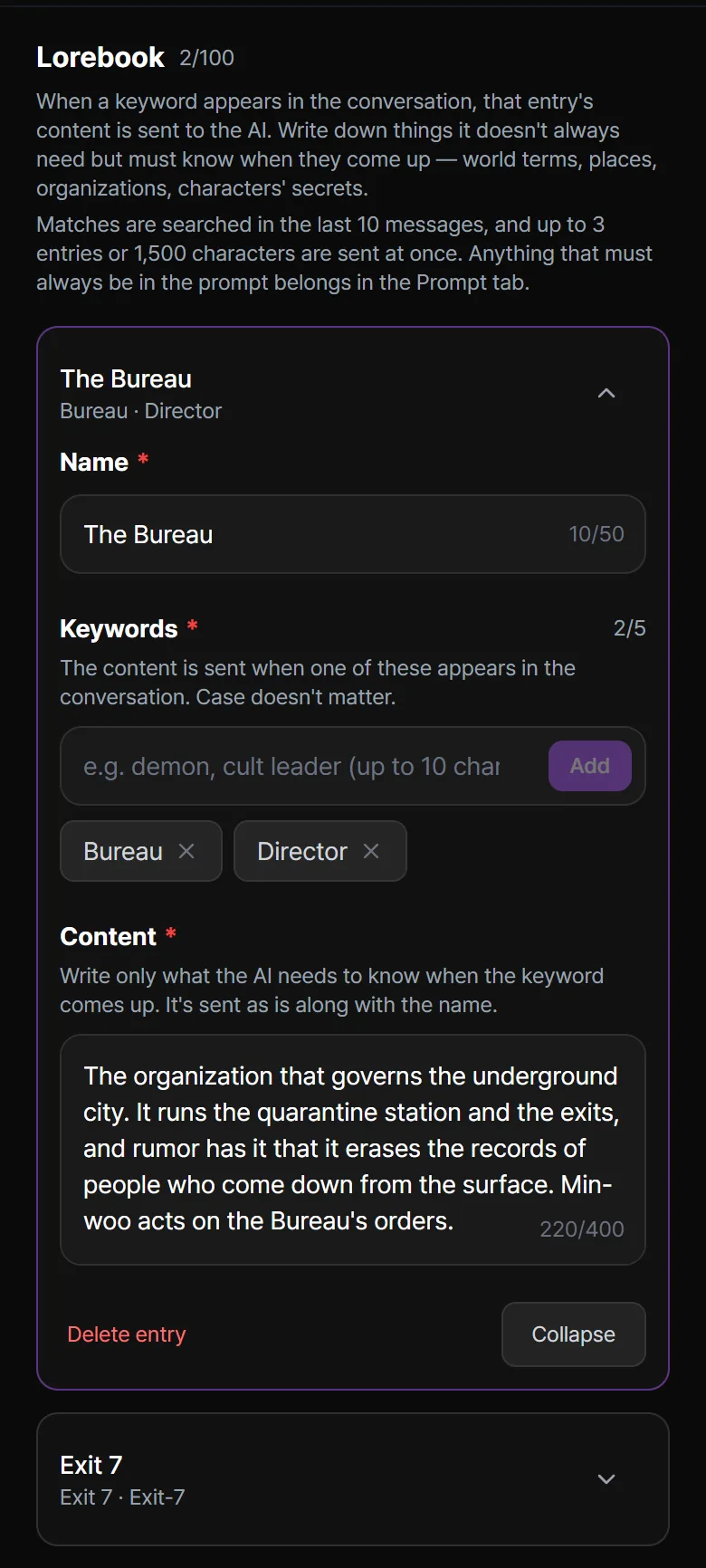
Here are the entries for the example work.
| Name | Keywords | Content |
|---|---|---|
| The Bureau | Bureau, Director | The organization that governs the underground city. It runs the quarantine station and the exits, and rumor has it that it erases the records of people who come down from the surface. Min-woo acts on the Bureau's orders. |
| Exit 7 | Exit 7, Exit-7 | The only exit to the surface. It has been closed since the city was sealed off in 2031, and you need a Bureau permit to get near it. |
How entries are found and sent
- The service looks for keywords in the user's message and in the last 10 messages. A keyword the AI used first in a reply is also searched from the next turn on.
- A keyword is found even inside another word. For example, the keyword
Bureauis also found in "The Bureau chief arrived", and even in "bureaucracy". - Spelling differences count. The keyword
Exit 7isn't found in "Exit7" or "Exit-7". - If several entries match, they're picked starting with the most recent one.
- Up to 3 entries and 1,500 characters in total are sent at once. Even if you make 100 entries, not all of them are sent every time.
Tips for choosing keywords
- Write words that actually come up in chat. Add abbreviations and nicknames that aren't part of the formal name. Example:
BureauandDirector - You don't need overlapping longer keywords. If you added
Bureau, "Bureau chief" is already found, so use that slot for another word. - For names that can be written more than one way, add both. Example:
Exit 7andExit-7 - Avoid very short or very common words. Keywords are found inside other words, so a word like
artalso matches "party" and "start", and a word in almost every chat can crowd the entries you need out of the 3. In an underground-city story, for example,surfaceandexitcome up almost every time. - Keep the content short and factual. In 400 characters, write only "what the AI needs to know when this name comes up". Speech style and progression rules belong in the prompt.
- Write character names yourself. In an entry's content, write a name like "Min-woo" instead of
{{char}}.
If you get stuck
It says "Some lore entries have no keywords."
Check that you added a keyword by pressing Enter, a comma, or Add. The keyword has to show under the field to count as added. Delete an entry you left half-made with Delete entry.
I can't add more keywords
An entry can have up to 5 keywords, 10 characters each. If you need more, split the same content across different keywords and make one more entry.
I said the keyword, but the AI doesn't seem to know the entry
The keyword may differ a little from the words used in the chat, or another entry may have been picked first. Up to 3 entries are sent at once. Check in this order:
- See whether the words used in the chat match the keyword exactly, including spelling. If the word can be written another way, add that way as a keyword too.
- If another entry has a very common keyword, cut it back.
- If it's a setting the AI must know, move it to the prompt.
Even after an entry is sent, the AI's replies can still differ every time.